

3DStreetCo
3dstreetco.com
Overall Score
64/100
Needs Work
SEO
60/100
GEO
54/100
What's Working
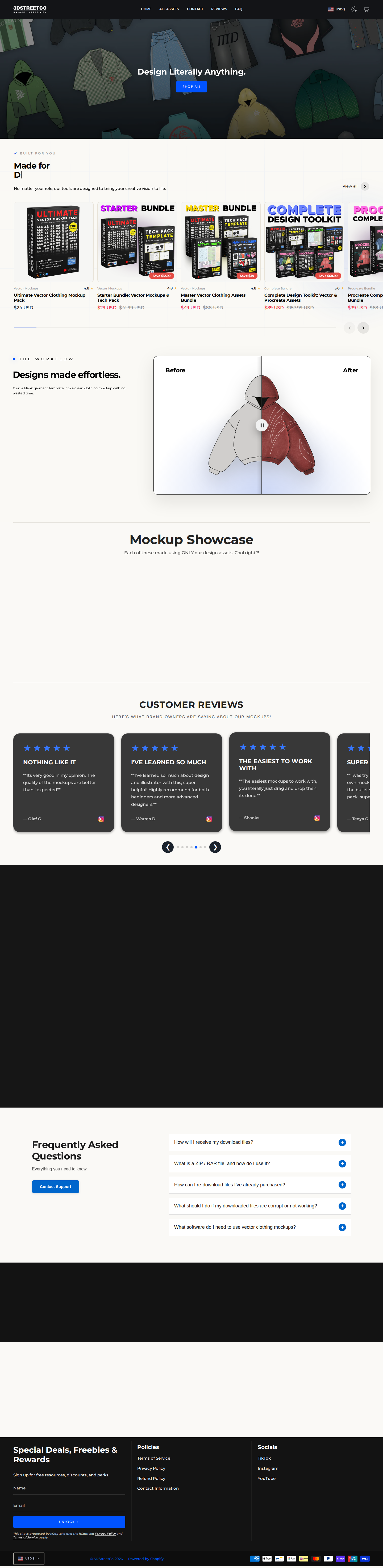
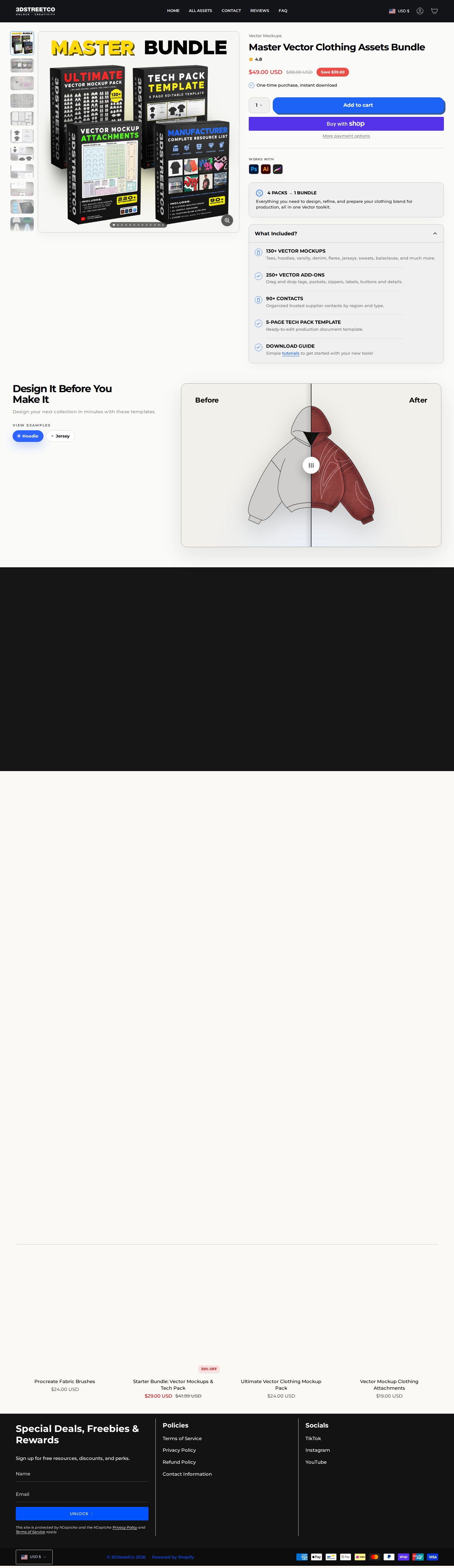
- ✓New product page is a genuine improvement. The card-based layout, sticky ATC bar, and before/after showcase make content faster to scan than the old wall-of-text format.
- ✓Lean, well-performing app stack. Only Loox adds a third-party load. No redundant apps, no bloat dragging down page speed.
- ✓Organization schema, SearchAction, and AggregateRating structured data are in place. Solid foundation for AI and rich result eligibility.
Critical Issues
- !New PDP Product schema is broken. It has only AggregateRating. Price, description, image, and offers were all removed in the redesign. The old page had full structured data.
- !No About page exists anywhere on the site. There is no founder story, no brand origin, no verifiable claims. This is one of the biggest gaps for both GEO entity recognition and customer trust.
- !H2 appears before H1 on the homepage, and the primary logo image has an empty alt attribute. Both are basic technical SEO errors that should be fixed immediately.
Growth Opportunity
3DStreetCo is sitting on a genuinely strong product in a niche market, but the store is underperforming its potential on both discovery and trust. The new product page is a real step forward visually, but it accidentally broke the structured data that makes products findable in Google Shopping and AI surfaces. The bigger opportunity is building the brand layer that is currently missing: an About page with a real founder story, a blog that gets linked from the navigation, and product descriptions that explain the first-hand craft behind these assets. Right now a customer who does not already know the store will have a harder time trusting it than they should.


-
New Product Page
Product JSON-LD schema is broken after the redesign. Only AggregateRating is present. The old page had full Product schema with price, offers, description, and image. This directly affects Google Shopping eligibility and AI feature visibility.
Restore the full Product schema: add @type Product with name, description, image, brand, offers (price, priceCurrency, availability, url), and AggregateRating. The Broadcast theme has a product schema template in the theme liquid files.
Critical SEO -
Homepage
H2 heading "Design Literally Anything." appears in the DOM before the H1 "Made for". Screen readers and crawlers interpret heading order as document structure, so an H2 before an H1 signals a broken hierarchy.
Reorder the homepage sections so H1 appears first, or reclassify the promotional headline above it as a paragraph tag with appropriate styling rather than a heading.
Critical SEO -
Header (all pages)
The primary site logo in the header has an empty alt attribute (alt=""). Every page on the site has this issue. Screen readers announce it as an unlabeled image, and it means the logo provides no textual context to crawlers.
Set alt="3DStreetCo" on the header logo image. This is a one-line fix in the theme header section.
Critical Accessibility -
New Product Page
The main product thumbnail image (the first image shown in the gallery) has an empty alt attribute. The product gallery images all share a generic alt of "Master Vector Clothing Assets Bundle" rather than describing what each image actually shows.
Give each product image a descriptive alt: e.g. "130 vector hoodie and t-shirt mockup files", "Vector add-on attachment pack preview", "5-page tech pack template PDF preview". This helps both accessibility and image SEO.
Warning SEO -
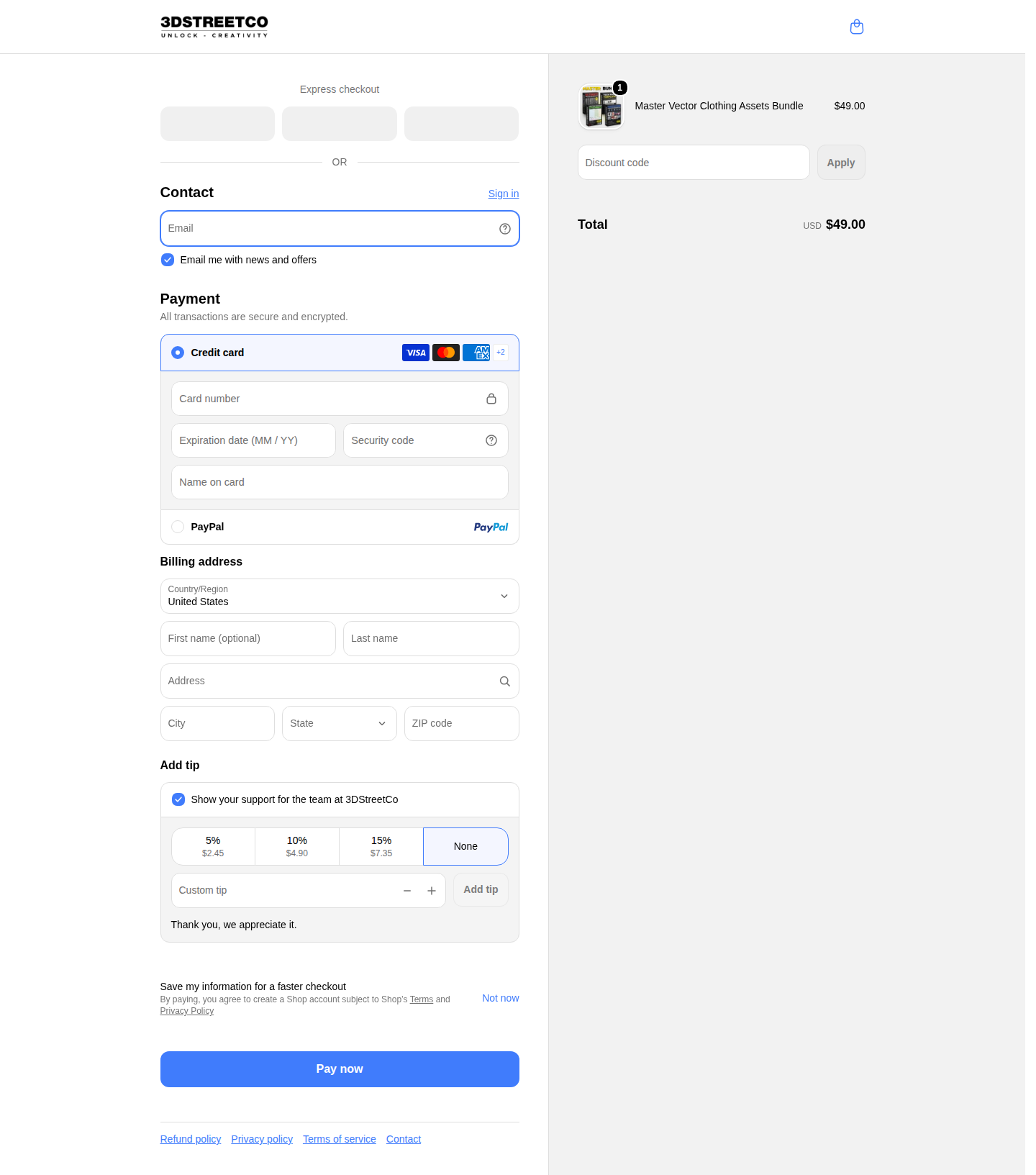
Checkout
The checkout form collects a full shipping address (street, city, state, ZIP) even though every product in the store is a digital download. This is extra friction that does not serve a functional purpose and may increase checkout abandonment.
In Shopify Admin, under Settings > Checkout, review if you have enabled "Require shipping address". For digital-only stores, consider using a digital fulfillment app (Sky Pilot, FetchApp, or SendOwl) that suppresses the shipping step entirely.
Warning CRO -
New Product Page
The text body of the product description is almost entirely absent from the DOM as readable text. Content is structured into H3 card headers with minimal paragraph copy underneath. This makes the page harder to crawl for semantic content and reduces the text Google can index.
Add 2 to 3 short descriptive paragraphs below the feature cards. Explain what file formats are included, what software is compatible, and what a first-time buyer should do immediately after purchase. This adds scannable text without making the page feel heavy.
Warning SEO -
Site-wide
The store has no About page and no brand story accessible from the navigation. The footer links only to legal policies. There is no page explaining who makes these assets, why they were built, or what the creator's background in streetwear design is.
Create a /pages/about page with the founder's story, what makes these mockups different from stock alternatives, and any press or creator mentions. Add a link to it in the footer navigation under a "Company" or "About" heading.
Warning GEO -
Navigation
The blog exists at /blogs/news and has at least one published article ("What is a Clothing Tech Pack?"), but it is not linked anywhere in the header or main navigation. A new visitor has no way to discover the content organically.
Add a "Blog" or "Learn" link to the main navigation menu. This improves discoverability, adds internal linking depth, and signals to Google that the site produces ongoing content.
Warning GEO -
Site-wide — JSON-LD
Two separate Organization schemas are present on every page, with slightly different data. One is the custom schema (has foundingDate, rich description, correct sameAs). The other is auto-generated by the Broadcast theme and has empty strings in its sameAs array. Having duplicates can confuse parsers.
Remove the theme's default Organization schema and keep only the custom, richer one. Check the Broadcast theme settings for "Social accounts" inputs and disable schema output there.
Info Technical -
New Product Page
The quantity selector uses a dropdown list (select 1–10) instead of inline +/- increment buttons. On mobile, dropdown pickers are slower to use and more error-prone than a simple plus/minus pair, adding friction before the ATC tap.
Since this is a digital product and most buyers will want exactly one license, consider removing the quantity selector entirely, or replacing it with +/- buttons. A single-unit flow is less confusing for digital goods.
Info UX
3DStreetCo has put structural foundations in place (Organization schema, SearchAction, AggregateRating, a functional sitemap) but is missing the brand layer that makes AI systems want to cite or recommend a store. No About page, sparse text content on the new PDP, and a blog that is not linked from navigation are the core gaps to close.
GEO Dimensions
38
Non-Commodity Content Quality
The new PDP replaced descriptive body text with visual cards. Almost no paragraph text explains the "why" behind the products, the creator's background, or what makes these mockups different from alternatives. The blog exists but has minimal content.
45
Entity Clarity & Brand Authority
Organization schema has foundingDate, description, and social profiles. But no About page means there is no unstructured text establishing who the brand is and why it exists. The knowledge graph has very little to anchor to.
78
Technical Crawlability
robots.txt allows all crawlers. Key pages are indexable. Sitemap covers products, pages, collections, and blogs. No nosnippet directives detected on any key page. llms.txt exists. UCP/MCP endpoint is live (Shopify standard).
60
Content Structure & Semantic HTML
New PDP has good H1→H2→H3 hierarchy within the product section. Homepage has H2 before H1 which is a structural error. FAQ page has 55 accordion items but the questions are not visible without JavaScript interaction.
48
Structured Data
Organization and SearchAction schemas are good. But the new PDP Product schema lost price, offers, description, and image. No GTIN or MPN. Two duplicate Organization schemas are present. AggregateRating is present and shows 4.8 / 100 reviews.
65
Multimodal Readiness
13 product images are available in the gallery. Before/after showcase is a strong visual. However, several images have empty or generic alt text. No product video is embedded on the PDP (YouTube channel exists but is not linked from the PDP).
50
Query Fan-Out Readiness
The FAQ page answers 55 questions, which is solid. But the blog is thin (one visible article) and not linked from navigation, so related educational content is hard to discover. PDP internal links are almost entirely currency/anchor links.
40
Google Merchant Center
No Google Merchant Center integration detected. No product feed link or verification meta. Google Ads tag is present (AW-17181949271) and Google Site Verification is active. For a digital product store, MC enrollment for Shopping listings is still possible and valuable.
72
Agentic Experience Readiness
Shopify's UCP/MCP endpoint is live (referenced in robots.txt). The accessibility tree has clear button labels (Add to cart, Close Cart, View image N). DOM structure is clean. Quantity dropdown is slightly harder for agents to interact with than +/- buttons.
Priority GEO Actions
- Write an About page with 300–500 words: who you are, why you started making these mockups, what streetwear design experience informed the product. This is the single highest-impact GEO action available. Easy High
- Restore full Product schema on the new PDP. Add price, priceCurrency, availability, image, description, and offers back to the @type:Product block. This re-enables Google Shopping eligibility. Easy High
- Add 2 to 3 descriptive paragraphs to the new PDP body. Explain the file formats (.AI, .PNG), compatible software, and the workflow these assets slot into. Keep it natural and specific to your actual product experience. Easy High
- Link the blog (/blogs/news) from the main navigation. Publish 4 to 6 articles covering topics like "how to use a tech pack", "vector mockup vs realistic mockup", "what files do clothing brands actually need". Each one is a GEO signal. Medium High
- Connect Google Merchant Center and submit a product feed. Digital products are eligible for Shopping listings. This puts products directly in front of purchase-intent queries in Google Search and AI shopping features. Medium Medium
- Write descriptive alt text for each product image that describes what the image actually shows rather than using the generic product name. "Vector hoodie mockup with zipper add-on details" is more useful than "Master Vector Clothing Assets Bundle". Easy Medium
What Not to Do — Per Google's Official Guidance
- Do not create special AI text files like llms.txt thinking it will get you into AI features. Google says it is not required and does not influence their systems.
- Do not "chunk" the product description into tiny pieces for AI consumption. Google understands full-page context, not fragments.
- Do not create separate thin pages targeting every long-tail keyword variation (e.g., "vector mockup for hoodies", "vector mockup for t-shirts"). Deeper, more complete pages beat shallow topic silos.
- Do not seek inauthentic brand mentions or paid placements to boost AI citations. Google's spam filters apply equally to AI feature inputs.
Stage 1
Awareness
66
- Pass Homepage hero communicates the product category clearly with a strong visual above the fold
- Pass 6 customer review testimonials on homepage with all-caps headlines that are readable and memorable
- Partial H2 appears before H1 in DOM; homepage H1 text "Made for" is incomplete without the animated word that follows — static crawlers see an ambiguous headline
- Fail No blog linked in navigation. Educational content that could drive organic awareness ("what is a tech pack", "how to find clothing manufacturers") is invisible to new visitors
- Fail No About page or founder story. First-time visitors have no way to understand who is behind the store or why they should trust a $49 digital purchase
Stage 2
Consideration
72
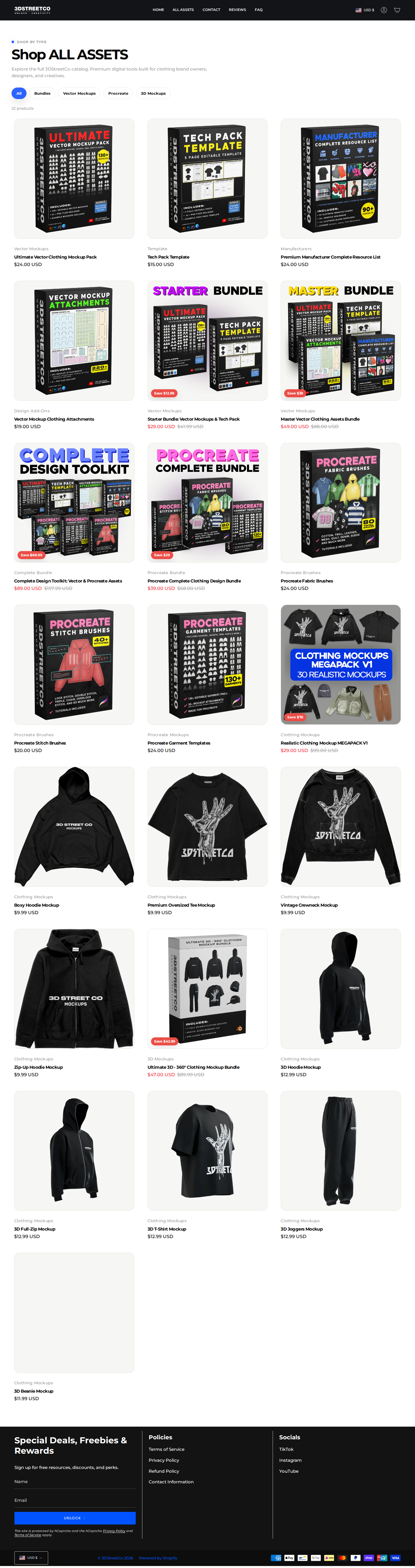
- Pass Collection page is clean with product card pricing displayed; 6 collection categories give buyers a clear browsing path
- Pass Search returns relevant results for "vector mockup" (14 results found). Search is accessible from the navigation
- Pass New PDP: feature cards (130+ VECTOR MOCKUPS, 250+ VECTOR ADD-ONS, 90+ CONTACTS, 5-PAGE TECH PACK) make the bundle contents immediately scannable on mobile
- Pass Before/after showcase ("Design It Before You Make It") demonstrates the transformation value, not just the product features
- Partial Loox reviews widget is present (4.8 / 100 reviews) but positioned well below the fold on mobile. Moving the star rating closer to the price would improve social proof at the decision point
- Partial New PDP has sparse body text explaining compatibility and file formats. Buyer has to infer from card headers alone
Stage 3
Purchase
68
- Pass Sticky ATC bar is present on desktop and mobile. "Add to cart · $49.00" label is clear. This is a major win over the old page which had no sticky element
- Pass Price anchoring is strong: $49.00 displayed against compare price of $88.00 with "Save $39.00" badge. Urgency framing is built in without a countdown
- Pass "One-time purchase, instant download" copy appears near the ATC button. Reduces friction for digital product skepticism
- Pass Checkout offers Shop Pay, Apple Pay, Google Pay, PayPal, Visa, Mastercard. Broad payment coverage. Guest checkout available via email field
- Fail Checkout collects full shipping address (street, city, state, ZIP) for a 100% digital product store. This is avoidable friction and a likely abandonment point, especially on mobile where form-filling is tedious
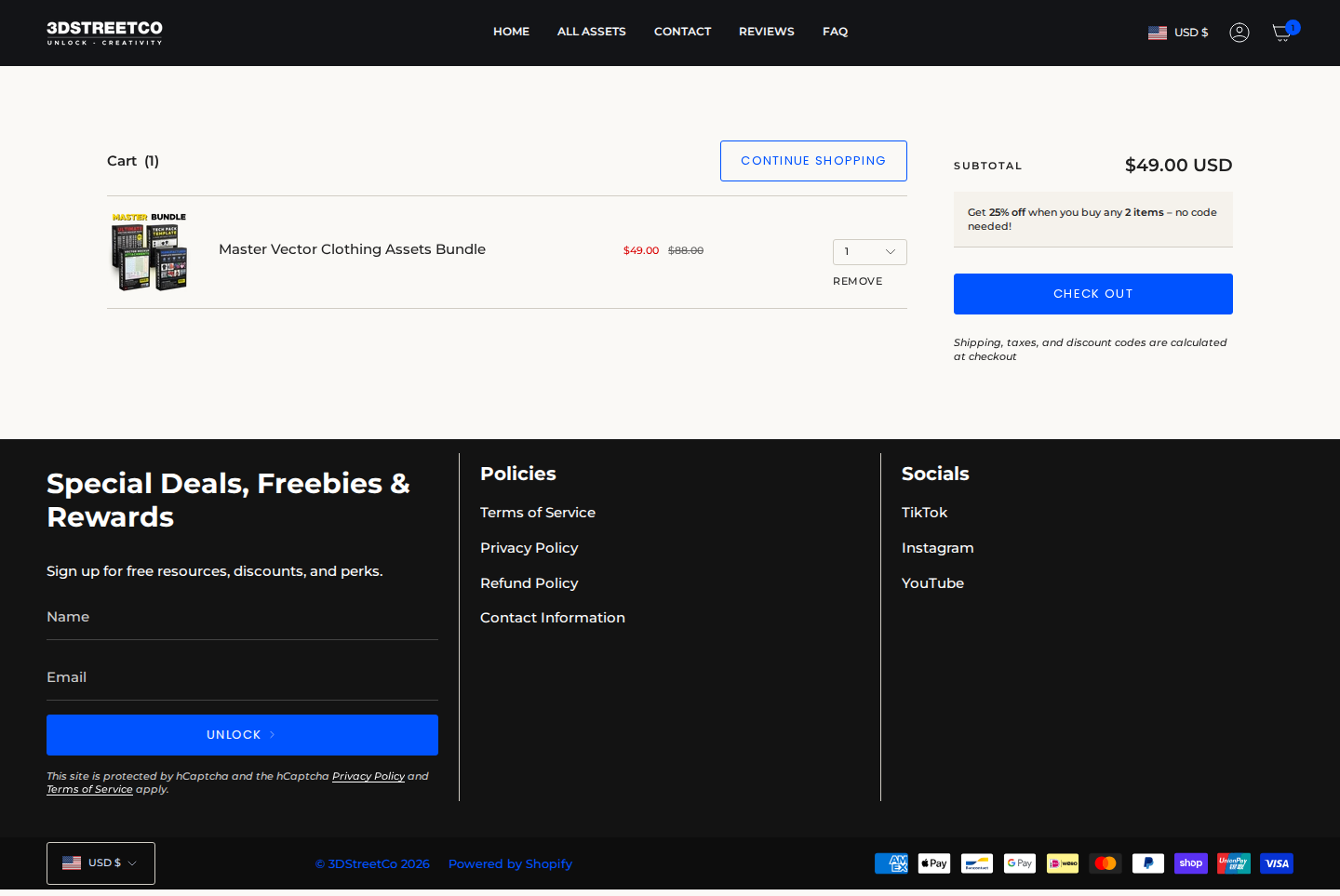
- Partial Cart upsell/cross-sell recommendations are present (product recommendations loaded in cart). No free-shipping progress bar is shown (appropriate for digital goods), but no urgency copy in the cart either
- Partial Quantity dropdown (select 1–10) on PDP is awkward on mobile. For a single-license digital product, consider removing the qty selector or switching to +/- buttons
Stage 4
Retention
48
- Pass Email capture widget present on homepage and PDP bottom. Newsletter incentive ("Special Deals, Freebies & Rewards") gives a reason to subscribe
- Pass TikTok, Instagram, and YouTube social links in footer. Active social presence supports repeat exposure
- Fail No loyalty or rewards program detected. Post-purchase, a customer who bought the Master Bundle has no visible incentive to return for individual packs or upgrades
- Fail No post-purchase upsell mechanism detected (e.g. ReConvert, Zipify). After checkout, the opportunity to sell the Procreate pack or standalone mockup set to a confirmed buyer is missed
- Partial Loox review request emails will go out after purchase (standard Loox behavior), which is good for social proof building but there is no visible structured referral program
New PDP vs. Old PDP — Honest Verdict
The new page is better for buying. Here is the breakdown of what changed and why it matters:
- Wins on mobile: Sticky ATC bar, feature cards instead of a description block, before/after visual. All three significantly improve the mobile experience, which is your stated priority channel.
- Price anchoring improved: The compare price ($88) and savings badge are more prominent on the new layout than the old one.
- Reviews are now on the page: The old page had a reviews section further down; the new layout integrates Loox inline which is a meaningful trust improvement.
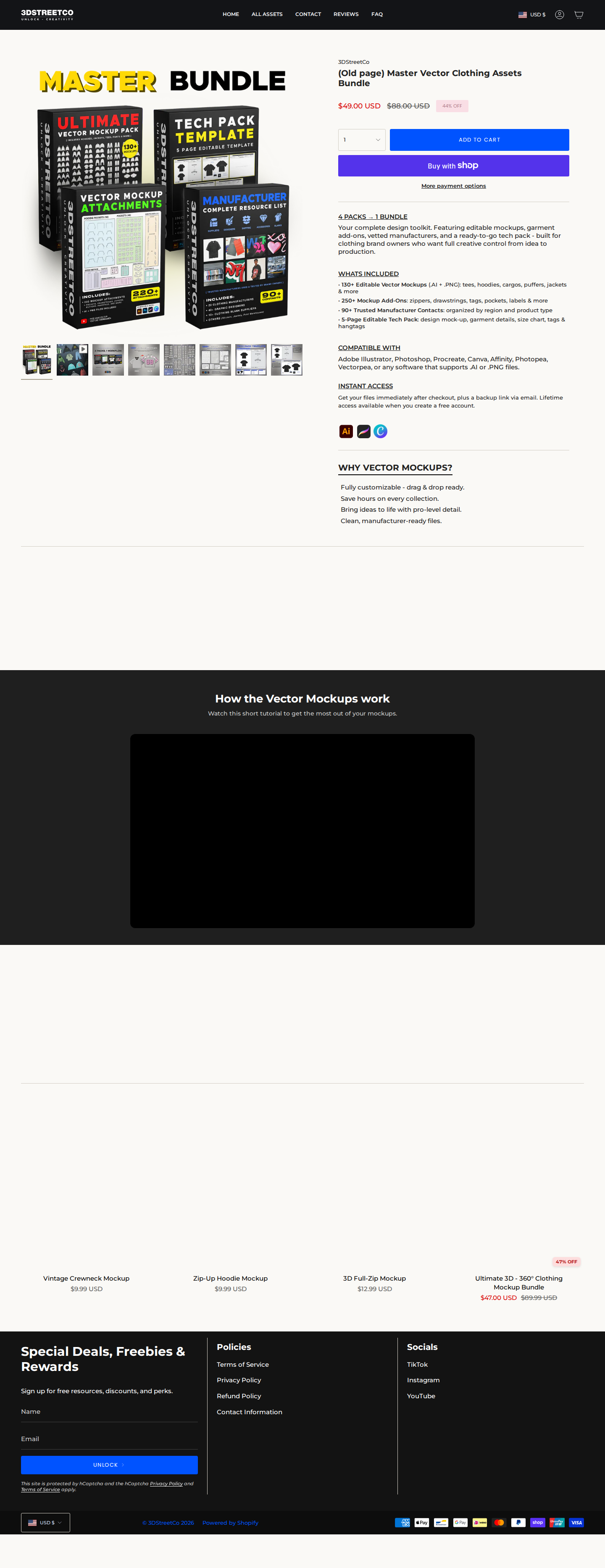
- Unintended regression: The old page had complete Product schema including price and offers. The new page dropped this entirely. This is a quiet SEO and Shopping regression that needs immediate attention.
- Text content tradeoff: The old description was a wall of text but it was indexable, explained file formats and software compatibility explicitly, and gave crawlers something to work with. The new layout removed this in favor of visual cards. You need to add 2 to 3 short paragraphs back to recover that indexing value.
| App | Purpose | Perf Impact | Cost | Verdict | Savings |
|---|---|---|---|---|---|
| Loox Reviews | Photo review collection and display widgets | Medium | ~$9.99/mo | Keep | — |
| Facebook Pixel | Meta ad tracking and retargeting | Medium | Free | Keep | — |
| Google Ads / GTM | Conversion tracking, Google Ads remarketing | Low | Free | Keep | — |
| Shopify Forms | Email newsletter signup with hCaptcha | Low | Free | Keep | — |
| Shop Pay / Wallets | Express checkout (Apple Pay, Google Pay, Shop Pay) | Low | Free | Keep | — |
| Digital Delivery App | Missing — needed to suppress checkout shipping fields for digital goods (Sky Pilot, FetchApp, or SendOwl) | N/A | $9–19/mo | Add | — |
| Post-Purchase Upsell | Missing — post-checkout offer page to cross-sell Procreate pack or standalone mockup set (ReConvert or Zipify Pages) | Low | $6.99–29/mo | Add | — |
| Total Potential Savings | $0/mo · $0/yr | ||||
App Stack Assessment
This is one of the leanest app stacks audited for a store of this type. No redundant tools, no overlapping apps, nothing loading that does not serve a clear purpose. The only third-party script weight comes from Loox and the two Meta/Google tracking pixels, which are standard. The gaps are gaps rather than waste: the store would benefit more from adding a digital fulfillment app to remove shipping friction and a post-purchase upsell to capture second-purchase revenue, not from removing anything currently running.
Technical Debt
- Blocking Product JSON-LD template in the theme is outputting incomplete data on the new PDP custom section layout. The theme's standard product template includes full Product schema, but the custom section build for the new PDP does not inherit it. Investigate which Liquid section is rendering the JSON-LD and ensure it pulls price, offers, and description from the product object.
- Notable Duplicate Organization schema: two separate @type:Organization blocks are rendered on every page. One comes from a custom global snippet and one from the Broadcast theme's built-in schema. The theme version has empty strings in its sameAs array. Remove one or suppress the theme's default output via theme settings.
- Notable The template name "fixing-product-page-revampt-homepage" visible in the Shopify theme metadata is the development template name. This has no end-user impact but indicates the live theme is running on what started as a development/testing branch. Consider renaming to a clean label once revisions are final.
- Minor hCaptcha Privacy Policy and Terms of Service links in the footer are pointing to hcaptcha.com rather than the store's own policies. These appear because the Shopify Forms integration inserts its own footer text. This is cosmetically inconsistent with the store's other policy links.
- Minor Broadcast v8.0.0 is a relatively recent release. No deprecated Shopify Liquid APIs detected. The theme is well-maintained and is a performant choice for this store type. No unused CSS or JS bundle issues detected in the standard theme files.
Logo


Color Palette
#0053ff
Primary / CTA
#212121
Body Text
#faf9f6
Background
#111111
Dark / Footer
Brand Consistency
Brand Assessment
The visual identity is clean and intentional. The cream background, electric blue CTA, and all-caps typographic system feel coherent across the homepage, PDPs, and collection pages. The product photography is consistent in style. What is missing is the human layer: the brand looks like a product but not yet like a company with a point of view. The tone of voice oscillates between consumer-friendly ("Design Literally Anything") and functional spec-listing (card headers). Developing a more consistent editorial voice, paired with an About page that explains the creator's background in streetwear design, would elevate the brand well above competitors who are selling similar assets with no personality.
Do These Now
- Add alt="3DStreetCo" to the header logo img. One-line fix in the theme header section.
- Restore full Product schema on the new PDP. Find the JSON-LD block in the custom product section Liquid file and re-add price, offers, description, and image fields.
- Fix the H1/H2 order on the homepage. The "Design Literally Anything" H2 above the H1 should be a styled paragraph tag, not a heading.
- Remove the duplicate Organization schema by disabling the Broadcast theme's built-in schema output in theme settings (Socials section).
- Link the blog at /blogs/news from the main nav. Even a simple "Learn" link in the header menu is enough to unlock crawlability and discovery.
- Add descriptive alt text to each product image in the new PDP gallery. Describe what each image actually shows.
Build the Trust Layer
- Create a /pages/about page. Write 400 to 500 words covering your background in streetwear design, why you built these mockups, and what makes them different from stock alternatives. Add it to the footer navigation.
- Add 2 to 3 paragraphs of descriptive body text to the new PDP below the feature cards. Cover file formats (.AI, .PNG), software compatibility list, and what a buyer should do immediately after downloading. This recovers SEO indexing value lost in the redesign.
- Move the Loox star rating + review count to directly below the product price on mobile. This puts social proof at the purchase decision point rather than below the fold.
- Replace the quantity dropdown (select 1–10) with either a hidden single-unit field (since most buyers want one license) or simple +/- buttons. Reduces mobile friction before the ATC tap.
- Install a digital fulfillment app (Sky Pilot, FetchApp, or SendOwl) to handle download delivery and suppress the shipping address step in Shopify checkout. This removes the biggest friction point in the purchase flow.
- Add a post-purchase upsell page (ReConvert or Zipify Pages) offering the Procreate pack or standalone mockup set at a discount. Confirmed buyers are the highest-conversion audience for the next product.
Build Long-Term Discovery
- Publish 6 to 8 blog articles on topics buyers are searching: "how to use a tech pack", "what software do clothing brands use", "difference between vector and realistic mockups", "how to find a clothing manufacturer". Each article builds a keyword surface AI and Google can index and cite.
- Connect Google Merchant Center and submit a product feed. Digital products are eligible for Shopping listings. This is a direct line into purchase-intent search results and AI Shopping recommendations.
- Embed your YouTube product demo directly on the new PDP. You have a YouTube channel (@3DStreetCo) and a "See the Vector Mockups in action" section already on the page. Replace the external link with an embedded video. This keeps buyers on the page and adds multimodal content for AI indexing.
- Add a referral/loyalty mechanism. Even a simple discount-for-review request via Loox referrals ($5/mo add-on) creates a referral loop that grows the review count and brings repeat customers back to buy additional packs.
- Build a "Which bundle is right for me?" quiz or comparison table linking the individual packs to the master bundle. This addresses consideration-stage hesitation and increases average order value for buyers who were going to buy just one pack.